Jun 28, 2026·AI & ML
Run Powerful AI Models Locally on Your Computer
 Dhananjay Shahane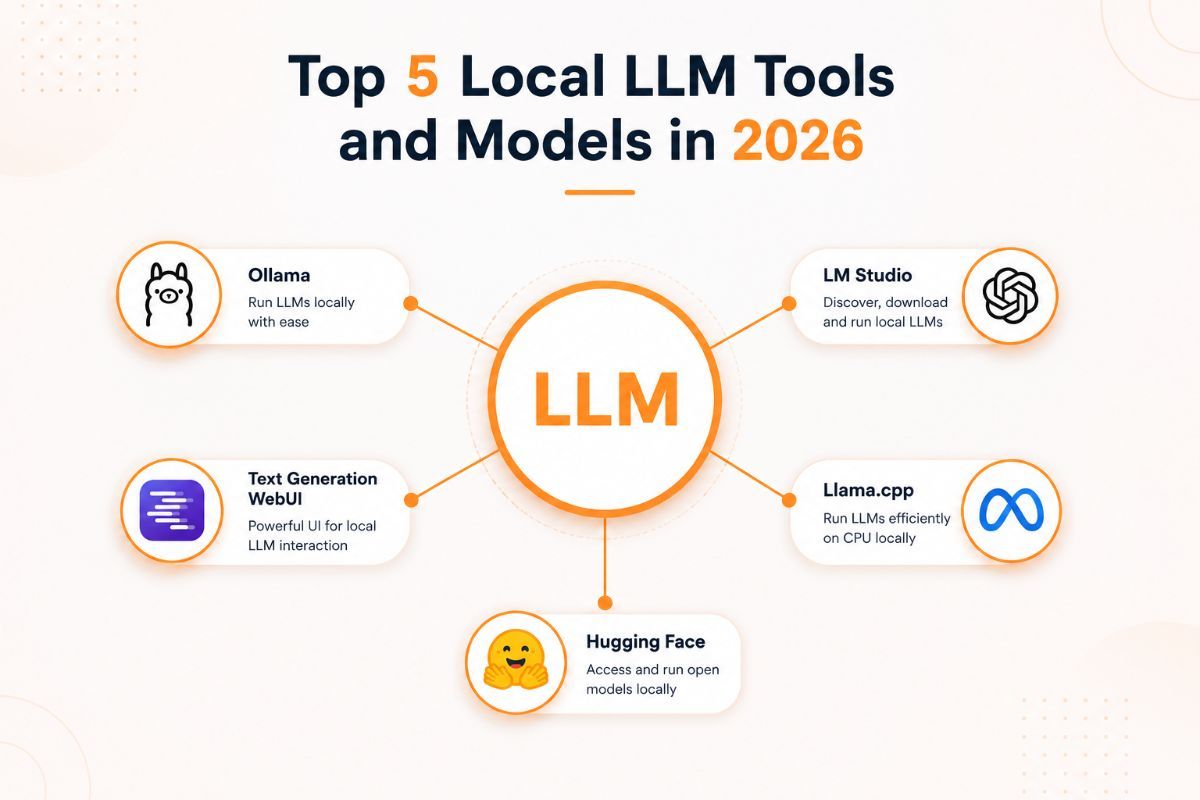
Large Language Models (LLMs) have completely changed the way developers build AI-powered applications. While cloud-based AI services like ChatGPT and Claude are incredibly powerful, a growing number of developers and businesses are moving toward local LLM platforms — software that lets you run AI models directly on your own computer or private server, instead of sending data to a third-party cloud.
The appeal is straightforward: better privacy, lower long-term costs, reduced latency, and full control over your data and infrastructure. If you've ever searched for "how to run an LLM locally," "best offline AI tools," or "private alternative to ChatGPT," this guide is for you.
Running an LLM locally means your prompts, documents, and application data never leave your machine. This makes local AI an excellent choice for:
Modern local LLM platforms have evolved significantly over the past few years. They now support GPU acceleration, OpenAI-compatible APIs, model management, AI agent frameworks, Retrieval-Augmented Generation (RAG), and seamless integration with popular developer tools like LangChain, Continue.dev, and VS Code.
Local LLM platforms give developers complete ownership of their AI infrastructure — enabling secure, private, and high-performance AI applications without depending on cloud providers.
In this guide, we'll break down the top 5 local LLM platforms trusted by developers worldwide, including their features, pros and cons, hardware expectations, pricing, and the ideal use case for each — so you can pick the right one for your setup.
---
Ollama is currently the most popular platform for running open-source language models locally. It lets developers download and launch models such as Llama, DeepSeek, Gemma, Mistral, Qwen, Phi, and CodeLlama using a single terminal command.
Its built-in OpenAI-compatible API, simple installation process, and extensive model library make Ollama the preferred choice for developers building AI agents, coding assistants, chatbots, and RAG applications.
Ollama makes running powerful AI models as easy as installing software on your computer.
Free and open source. No subscription, no usage limits — you only pay for your own hardware/electricity.
Developers who want the simplest and fastest way to run local LLMs and integrate them into existing applications via API.
---
LM Studio is a desktop application that makes running local language models simple through a modern graphical interface. Users can browse, download, and chat with hundreds of AI models without touching the command line.
It also provides an OpenAI-compatible API server, allowing developers to connect their own applications directly to locally running models — combining the ease of a GUI with developer flexibility.
LM Studio offers one of the easiest graphical experiences for running local AI models.
Free for personal use.
Beginners, students, and developers who prefer a GUI-based AI tool over the command line.
---
Jan is an open-source AI assistant that focuses on privacy and offline usage. It provides a ChatGPT-like chat experience while ensuring all conversations remain on your local device by default.
Jan supports multiple inference engines (including its own engine and Ollama under the hood) and offers a clean, modern interface for developers and everyday users who want a private AI assistant.
Jan gives users complete control over their AI conversations while keeping everything offline.
Free and open source.
Users looking for a private, offline ChatGPT alternative with a polished interface.
---
GPT4All is designed to make local AI accessible for everyone, not just developers. It offers an easy-to-use desktop application capable of running AI models fully offline, with strong support for document analysis and local knowledge retrieval.
Its straightforward installation process makes it especially popular among students, professionals, and researchers who want to "chat with their documents" without sending files to the cloud.
GPT4All brings offline AI to everyday users with minimal setup.
Free and open source.
Document analysis, academic research, and personal AI assistants for non-technical users.
---
vLLM is a production-grade inference engine built for serving large language models efficiently at scale. It's widely used by AI companies and platform teams because of its excellent throughput, GPU optimization, and horizontal scalability.
Unlike the desktop-style tools above, vLLM is designed for engineers deploying AI services in production environments — think internal company APIs, SaaS products, or high-traffic chatbots.
vLLM delivers high-performance AI inference for enterprise-scale applications.
Free and open source (you provide and pay for your own infrastructure/cloud GPUs).
Production AI APIs, enterprise deployments, and teams that need a high-performance, self-hosted inference server.
A few questions to help you decide:
1. Do you want a command line or a graphical app? Choose Ollama for CLI-first workflows, or LM Studio/Jan/GPT4All if you'd rather click through a GUI.
2. What's your hardware? On a laptop with 8–16GB RAM and no dedicated GPU, stick to smaller quantized models (3B–8B parameters) on Ollama, LM Studio, or Jan. With a strong GPU and 24GB+ VRAM, you can comfortably run 13B–70B models, and vLLM becomes a realistic option for serving them efficiently.
3. Are you building a product, or just chatting with AI? If you're integrating an LLM into your own app or automation pipeline, Ollama or vLLM (depending on scale) make the most sense because of their robust APIs. If you just want a private chat assistant, Jan or GPT4All will feel more natural.
4. Do you need document analysis out of the box? GPT4All has the most mature built-in document chat feature for non-developers.
5. Is this for production traffic? If you're serving real users at scale, vLLM (or Ollama for smaller-scale internal tools) is the right category of tool — desktop apps like LM Studio and Jan aren't designed for that.
Is it free to run an LLM locally? Yes. All five platforms covered here — Ollama, LM Studio, Jan, GPT4All, and vLLM — are free and open source. Your only real cost is the hardware (and electricity) needed to run the models.
Do I need a GPU to run local LLMs? Not necessarily. Smaller models (3B–8B parameters) run reasonably well on CPU with 8–16GB of RAM, especially when quantized. Larger models (13B+) benefit significantly from a dedicated GPU with sufficient VRAM.
Which local LLM platform is best for beginners? LM Studio and GPT4All are generally considered the easiest to start with, since both offer a full graphical interface and guided setup with no command-line work required.
Can local LLMs match the quality of ChatGPT or Claude? Open-source models have closed much of the gap, especially for coding, summarization, and general chat. However, the largest proprietary cloud models still tend to lead on the most complex reasoning tasks. For many everyday and business use cases, local models are now more than capable.
What's the difference between Ollama and vLLM? Ollama is optimized for ease of use on a single machine — great for development, prototyping, and personal use. vLLM is optimized for high-throughput production serving, often across multiple GPUs, and is intended for teams deploying AI at scale rather than individual users.
Can I use these platforms with LangChain or other AI frameworks? Yes. All five platforms expose an OpenAI-compatible API (GPT4All's is more limited), so they work with LangChain, LlamaIndex, and most frameworks that support custom or self-hosted endpoints.
---
Choosing the right local LLM platform depends on your workflow, technical comfort level, and hardware. Ollama is the best all-around choice for developers thanks to its simplicity, broad model support, and strong integrations. LM Studio is ideal for users who prefer a graphical interface, while Jan offers a privacy-first, offline assistant experience. GPT4All is a great pick for beginners and document-based workflows, and vLLM is the go-to solution when you need enterprise-scale, production-grade AI deployment.
Whether you're building AI agents, coding assistants, RAG systems, chatbots, or enterprise AI applications, these five local LLM platforms provide powerful, secure, and cost-effective alternatives to cloud-based AI services.
If you're just getting started, the fastest path is usually: install Ollama, pull a small model, and start building from there — you can always graduate to vLLM later once you need to serve real traffic at scale.